BJ Bridge Beginner3.4.1
Publisher Description
*** PLEASE NOTE ***
This app is now superseded by the app BJ Bridge
BJ Bridge Beginner Acol will be removed from the App Store shortly
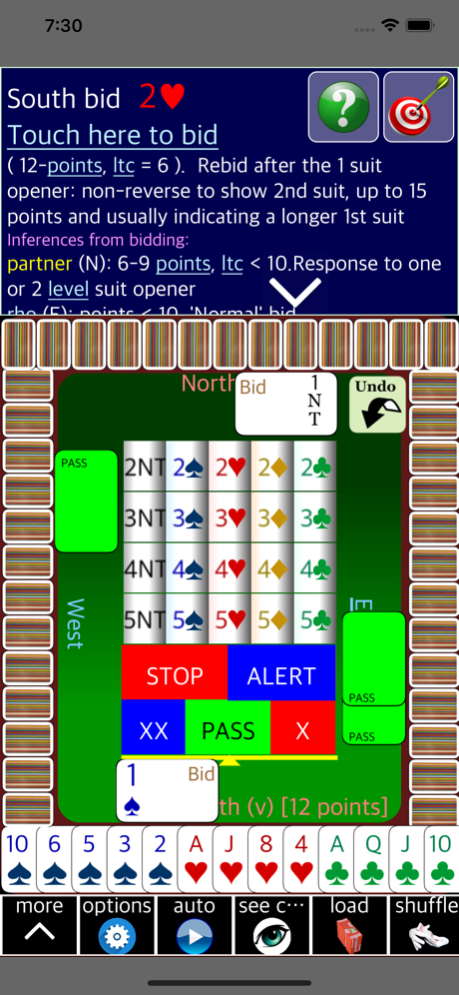
This duplicate bridge game is specially designed for beginners learning the Acol system of bidding. It follows the "Bridge for All" Foundation Level recommended for students by the English Bridge Union (EBU).
As well as offering unlimited random deals, BriJ includes practice hands from the EBU "Red Book". All totally free!
At every stage the game offers hints and advice on bidding and playing the hand. There are automatic links to explain unfamiliar bridge terms, so you should never be left wondering what to do!
Connect up with other players. Practice bidding and playing as a partnership. Play anywhere without Internet access!
Mar 27, 2021
Version 3.4.1
Bug fixes
About BJ Bridge Beginner
The company that develops BJ Bridge Beginner is Helen Fordred. The latest version released by its developer is 3.4.1.
To install BJ Bridge Beginner on your iOS device, just click the green Continue To App button above to start the installation process. The app is listed on our website since 2021-03-27 and was downloaded 19 times. We have already checked if the download link is safe, however for your own protection we recommend that you scan the downloaded app with your antivirus. Your antivirus may detect the BJ Bridge Beginner as malware if the download link is broken.
How to install BJ Bridge Beginner on your iOS device:
- Click on the Continue To App button on our website. This will redirect you to the App Store.
- Once the BJ Bridge Beginner is shown in the iTunes listing of your iOS device, you can start its download and installation. Tap on the GET button to the right of the app to start downloading it.
- If you are not logged-in the iOS appstore app, you'll be prompted for your your Apple ID and/or password.
- After BJ Bridge Beginner is downloaded, you'll see an INSTALL button to the right. Tap on it to start the actual installation of the iOS app.
- Once installation is finished you can tap on the OPEN button to start it. Its icon will also be added to your device home screen.
Program Details
System requirements
Download information
Pricing
Version History
version 3.4.1
posted on 2021-03-27
Mar 27, 2021 Version 3.4.1
Bug fixes
version 3.3.2
posted on 2020-03-10
Mar 10, 2020 Version 3.3.2
BriJ now supports the optional use of Dark Mode as introduced in the latest versions of iOS and iPadOS.
There are also several cosmetic changes to improve appearance in, for example, the icon bar, bidding box and options screens. The card table is enlarged to suit tall iPhones.
Fixes: removes spurious underlines on scoresheet; eliminates a problem with unresponsive BridgeWebs “download as pbn” (for iPad in landscape mode). avoids freezes when relaunching BriJ from a background state
version 3.2.2
posted on 2020-02-21
Feb 21, 2020 Version 3.2.2
BriJ now works more consistently with the most recently released iPhones and iPads as well as the latest iOS and iPadOS 13.3 operating systems. For example, the ‘options’ screens are easier to use and the BriJ screens make better use of the available space on the latest iPhones. Some other minor improvements.
version 1.0
posted on 2016-12-07
version 3.3.2
posted on 1970-01-01
2020年3月10日 Version 3.3.2
BriJ now supports the optional use of Dark Mode as introduced in the latest versions of iOS and iPadOS.
There are also several cosmetic changes to improve appearance in, for example, the icon bar, bidding box and options screens. The card table is enlarged to suit tall iPhones.
Fixes: removes spurious underlines on scoresheet; eliminates a problem with unresponsive BridgeWebs “download as pbn” (for iPad in landscape mode). avoids freezes when relaunching BriJ from a background state
